I would say the author clearly knows very little computer specs:
"The MacBook Pro had options with 2.4 gigahertz dual-core processors back in 2010. Anything new in 2016? Not really, well… nope."
Because a 2010 2.4ghz dual core is identical to a 2016 2.4 ghz dual core.... I thought we got over comparing processors purely by their clock speed a long time ago. (I will agree that theyve been going with lower and lower power to allow for better battery life, this is a terrible way to make the comparison. Id much rather see a processor comparison graph here).
Personally I think this is a terrible decision, but then again, I think using a laptop keyboard for programming is a terrible decision too. I need multiple monitors and an external keyboard to get anything done, so I typically use a desktop, and then use a lightweight laptop (basically a chromebook) to remote into the desktop if I absolutely need to be mobile.
Also, "What other people are saying" and then listing 4 anecdotal quotes seems pretty uncompelling.
I imagine this is not a great developer's laptop. But apple fanboys will keep buying it and either stop using vim just so they can keep using apple or buy an external keyboard. And Im really not sure what else you could really want out of a laptop then.
I nearly exclusively use VIm and any other editor I use has a VIm mode plugin installed. I pretty much can't work productively in anything else.
I can tell you that I haven't used Esc in ages. I have Caps Lock mapped to Ctrl (as it is a vastly more useful a key than Esc and Caps Lock is a much better position for it and is just as an extraneous as Esc is). I use Ctrl-C or Ctrl-[ to exit insert mode and it works just fine. In fact I understand that most experienced VIm users do this.
Esc is, by and large a useless key. Even if it wasn't you can remap keys as you like so feel free to map Esc to Caps Lock if you want. Taken alone the lack of Esc and Fn keys is not an argument against the design of the new MBP for developers.
Also... the F1 keys are like super important for debugging. Sure, you can click with the damn mouse in the button for step in, over, run, etc, but the thing is faster with F keys.
Even if mac apps come mapped to other keys, many peaplo still runs windows with bootcamp, virtual box etc and wine programs in apple computers, making things even harder.
And about external keyboards? Apple keyboards comes with F keys... they are going to be uselles now?
This is really just a war of opinions now, but the F1 keys are indispensable to me. My fingers rest on the hotkeys for "step into", "step over", "run to breakpoint" and I can keep my eyes glued to the watch list, inspecting the variables at each step. Some times you want to quickly step into functions, other times step over, and it's just really handy to have it mapped to keys.
I'm not even a power emacs user or something (IntelliJ is my preferred IDE). YMMV of course, but I find the hotkeys super useful.
But what if your IDE simply adds the debugger buttons to the touch strip instead? They could even have the correct icons and update state as you debug. Seems even better to me.
It's really odd when people say "I need one function key for some application specific operation", when those kinds of things are pretty much exactly what an adaptable, customizable touch row is perfect for. If apple could have read the touch bar complaints before, they probably would have been convinced to put a touch bar in earlier.
Main point for touch strip is changing icons/state. But that's absurd because not even my mother blind types.
This is clearly another fancy thing that removes functionality.
I have a blank keyboard, I never look at it, when I use for debugging I'm extremely fast as I don't have to look back and forth on keyboard and screen or use mouse (who uses mouse that much anyway?), I'd miss F keys if I bought the new macbook pro.
There will be one, they've shown it in some of the promotional imagery. I think everybody is just up in arms about the physical key being gone.
I'm a heavy vim user and use the ESC key all the time. If I get the new MacBook Pro I'll probably see how the touch key works, and then rebind if it's necessary. It's not the end of the world.
> I use Ctrl-C or Ctrl-[ to exit insert mode and it works just fine. In fact I understand that most experienced VIm users do this.
That's pretty uncommon to imply it's generalizable. Most vim users, I feel comfortable in saying, actually use 'Esc', or a key mapped to the same. Speaking for myself, I can't see why I'd want to use two keys when one would do.
Well having to stretch your little finger all the way to the corner of the keyboard gets pretty annoying when you have to do it all the time, as you do with Vim. Much easier to remap another key close to the home row, and since caps-lock is so redundant, it is the obvious candidate.
So whether you map it directly to Esc or to a modifier, the parent's point stands: Vim users don't need the Esc key and are probably better off without it.
classic apple fanboy huh? I've a shortcut for my F1 key which toggles terminal on full screen. What there? You don't expect me to map one key for that as well, do you? I'd still prefer a physical button.
- can you give me some details on your remap setup on macOS? if you have dotfiles somewhere that'd be great.
- as a vim user who only uses vim as an editor, I challenge the assumption that touch Esc is a horrible thing. Esc is a very special key and it may turn out to be ok for it to _be_ different, and _feel_ different.
I'm a vim user as well, and I'm actually shocked at how many users apparently still use the ESC key. I actually didn't know any regular vim users did that, because to me, it seems super inefficient. I don't say that as a put-down or anything like that. But if you use vim, I'd highly recommend remapping caps lock to Esc. I think you will get used to it within a day and will never go back.
I'm a long-time vim user, and I use the esc for two reasons. First, because it's critical muscle memory, and if I go to a machine that is not my own don't want to be crippled. I would still consider remapping caps lock (as opposed to .vimrc remapping) since that would work when ssh'ed into arbitrary machines, but the problem there is I'm already using it for control, and because the control key is resized on the laptop keyboard I can't develop normal muscle memory when moving between different apple keyboards.
Personally I think people make way too big a deal about the escape key being difficult to hit. It's right there in the corner, never been a problem for me.
I've tried ctrl-c, ctrl-[, and ESC. The one that stuck for me was ESC. The others usually don't work in other programs that use vim keybindings.
Many people already map capslock to ctrl. You could map ctrl to ESC, but then it gets uncomfortable when switching computers, and it goes against 10+ years of muscle memory.
I tried remapping capslock once, but it got too confusing when switching computers.
I am a developer who writes code while in tmux and vim. I have remapped my Caps Lock key so it's Ctrl when presses with another key and Escape when pressed on it's own.
The other anecdote is I've been using vim for about 15 years, and use esc daily. I am constantly in multiple vim environments - different servers, different clients, different OS, etc. I don't have the luxury of saying "I'm going to install all my default vim keybindings and plugins on every vim installation I ever use". Walking someone else over the phone who has to do vim - I need to count on some standard defaults being there, and 'esc' is one.
So yeah - some of you "power users" - fine - you've never touched ESC in 20 years - good for you. You're in the minority.
I've been using vi for over 20 years, but not a power user or anything (emacs for code, vi for quick edits), and have no idea how to use it without esc. Did vim change something? How do you switch modes?
Ctrl-[ == Esc. I had to learn Ctrl-[ three years or so back due to bluetooth keyboard paired with tablet and insufficient time to troubleshoot why Esc wasn't working, and then discovered that it's actually easier on my wrists to use Ctrl-[ and never went back.
I use vim, I just assumed that when you open Terminal, a virtual escape key would appear in the touch bar. It'd still be in the corner, so fitts law would still apply, and it'd be easy to find.
I'm not even a power user, & after 25 years, I just know the basic few commands that you need to do anything - insert, delete, search/replace, save, & quit.
ESC is the key that (roughly) takes you back to normal mode from insert mode, visual mode, etc. If you aren't using it, then you're either using one of the other ways to get back to normal mode (like CTRL-[), or you are using Vi in a very non-standard way.
Are you talking about the same editor? From a 1996 vi man page [0]:
  There are commands that switch you into input mode.
  There is only one key that takes you out of input mode,
  and that is the <escape> key. (Key names are written
  using less-than and greater-than signs, e.g. <escape>
  means the ``escape'' key, usually labeled ``esc'' on
  your terminal's keyboard.)  If you're	ever confused
  as to which mode you're in, keep entering the <escape>
  key until vi beeps at you.
Which is fine if you do everything locally (because you control that configuration), but not having escape really sucks when you are on servers a lot and you can't necessarily go changing vim settings around.
I don't know why that would be anyone's preference given that if you used telnet to connect to a remote shell, ^] is the default escape character. So using ^[ to exit input mode is dangerously close to popping you out of your telnet session. Someone who claims to have used vi for 25+ years (get off my lawn, ssh didn't exist back then) would have likely used telnet and been bitten by that more than once.
I love jk, been using that one for at least 8 years. I even got in the habit of tapping it a few times while thinking, sort of like how you might sometimes shake your leg or whatever. I trained myself off of that though when I had to use Eclipse more and more -- edits or undoes to a file can bring Eclipse to its knees....
Yeah, I'm not sure I'd even call it a command - but it is pretty fundamental to vi usage, unless you're using some alternative like ^C or the "remap typing 'jk' to Esc" trick. When you're saying you've never used the Esc key, you mean you only use the Esc key to take you out of insert mode, I guess?
The processor speed is less important to me. But the lack of more than 16 GB of RAM is a serious problem. As a developer, I frequently run a large number of VMs at once. My current laptop has 16 GB of RAM, and I frequently need more to run all of the VMs that I need, so I wind up having to use my workstation with has 32 GB of RAM, and just connect to that remotely when I'm on my laptop. That's cumbersome and doesn't work well when I'm on the road in places with flaky connectivity (I travel a lot, as I work remotely and come into the office, so being able to do all of my work on my laptop would be a big win).
The escape key issue doesn't bother me as much, but I'm not a Vim user and I already have Caps Lock mapped to escape or control depending on whether it's a modifier or not. I do use the function keys occasionally in cross-platform development tools like gitk, but I'm sure that other keybindings can be substituted and I'd be able to deal with that.
But the lack of RAM beyond 16 GB pretty much means there's no reason for me to upgrade from my 3 year old laptop. I would have considered upgrading this cycle if they offered more RAM, but as it is I'll probably hold off. Maybe if they release another in a year or so with more RAM I'll upgrade; if not, I may just switch to a Lenovo or other laptop that has more expansion room.
3 years without a bump in RAM capacity seems like an awful lot. I realize that Moore's Law is flattening out, but stagnating for 3 years like this seems like a long time.
As a fellow Vim user, I don't use the escape key anymore. It's awkward to hit and I rebind it to "jj" (or more recently "jk"). It's unergonomic to reach for the escape key where it customarily is. If it were where Caps Lock is, it would make much more sense.
That said, I don't like rotating my hand or remove my fingers from the home row.
It's really a non-issue because you can rebind keys so easily, it's not even funny. Everyone seems to be making a mountain out of a molehill.
This. I never "learned" how to type, and while I've tried, I simple can't get rid of almost 20 years of muscle memory typing like a buffoon. It's much easier for me to use ESC and the arrow keys than people who keep their hands on the home row.
> If it were where Caps Lock is, it would make much more sense.
macOS Sierra allows you to rebind Caps to the Esc key, which seems like a good compromise to me. As a non-vim user, I just wish I could bind Caps to other keys as well :(
Have a look at Karabiner-Elements. The author recently open sourced it and kept up his brisk development pace. Every year he updates I'm lockstep with macOS releases and every year, I donate. Amazing project.
No, not in Sierra, because Karabiner classic does not work in Sierra. Karabiner-Elements, which is Sierra-only, can only do basic key remapping. None of the fancy stuff.
That doesn't seem right- I use "jj" to escape insert mode and nothing unusual happens when I use hjkl to navigate in normal mode. The only "pause" is when I type the letter "j" in insert mode.
But any laptop you buy is a product of some design chosen by other people and not something you can make work precisely as you want. You've adapted to the designs already available, not the other way around.
I realise that, but I'm mostly adapted either to common standards (like QWERTY) or something that provides a benefit to me. I would like a laptop that fits the habits I already have as much as possible, unless there is some good reason for it not to be that way. From the demos I've seen of the touch bar, it will be a gimmick that I very rarely use, so why should I invest in the change?
Also, I work about 50/50 from a USB keyboard. With this keyboard layout, I would need to remember which keyboard I'm using - awful for productivity.
Then just map Esc to Caps Lock if you like. Unless you feel Caps Lock is still critical for commenting on YouTube videos, in that case I guess the new MBP is just a useless paperweight.
You're wrong. Muscle memory is very hard to retrain. To buy laptop with esc button is much more easy. It will be just not MacBook Pro, but it's their problems.
You're wrong? Muscle memory is not that hard to retrain. I had to do it when I first started using a Mac, on which most of the non-qwerty keys (and some of the qwerty ones too) are in a different location to the standard IBM layout.
Nope - at the moment, my CAPS lock does nothing. But I'm not going to adjust my habit of where to find the ESC key just so I can have some pointless colourful lights.
Instead you could adjust your habit of where to find the ESC key for the sake of ergonomics (Caps Lock is much bigger and closer), like I did years ago, and take the colorful lights as a bonus.
What about the fact that I frequently jump between machines, many of which aren't mine? It's the same as people telling me to learn the Dvorak layout. Any possible productivity gains are lost in forever remembering what keyboard I'm on.
I find it interesting and perhaps a bit telling that the most common response to the Esc key portion of this post is remap/use a different key binding.
How is that a reasonable response? To me, the reasonable response would be, "I remap/whatever, but maybe it's best if you look at a different platform where this isn't a concern." Or, "I can see how that's a problem, here's what I do."
We do have some responses in the 'reasonable' category, by we also have replies like "Esc is, by and large a useless key." and "It's really a non-issue because you can rebind keys so easily, it's not even funny" and "the ESC key in vim can lead to RSI" and "Only if you're too lazy to rebind it to any of the many more finger friendly options". All of them saying, "You're doing it wrong" - even if not in so many words.
Telling someone they're wrong to dislike a specific change because a workaround happens to exist says to me that you're making a whole lot of assumptions about other people based on what works for you at best, and being patronizing at worst.
Three points: The escape key is not where it is normally. The escape key is not present in all contextual operations (that is, you can open up a menu on the touchbar which causes the escape key to disappear in favor of a "close" button). There is no physical feedback that you've hit escape.
For me? Because I can't tell without looking at the keyboard whether it exists or not (and potentially whether it's been moved by some program's integration with the touchbar).
I've been touch typing for years now, and the idea that I have to look down at the keyboard to see if a key exists (a key that that has existed for the entirety of my computing history) is ludicrous.
But then how do you change the volume when using vim? Does vim need a special touchbar that basically completely emulates the old keys? That seems excessive.
It's a perfectly fair point. The function keys provide 2 operations each, depending on whether you use the [fn] modifier, so does the ribbon duplicate this functionality or are we effectively left with half the functionality of the old keys?
Personally, I don't see how you can quickly modify the volume from the ribbon if the application you are using has repurposed that space for some other functionality it thinks you are more likely to want
It's extremely patronizing and dismissive to insinuate that only "apple fanboys" buy macbook pros. There are plenty of reasons to buy an apple laptop without being a "fanboy". Searching for the best laptop leads many to apple simply because of logistics/price/ease-of-use.
That said, most of the other stuff you say is true.
My point was more that there are people who buy Apple regardless of quality or features. If you buy Apple because it's the best for you, go for it. I agree that they are quality built laptops.
You don't find people who are dedicated to buy only Dell laptops even if something negative happens. There are no Dell fanboys (that I've ever encountered). If Dell does something stupid, people will buy ASUS, HP, Samsung, Toshiba, Lenovo, etc and get basically the same experience.
The point was less that ONLY fanboys buy macbook pros, but moreso that Apple has a large enough loyal fanbase that they can basically do whatever, and people will defend the decision.
You will hear people say that 16gb of RAM is a non-issue and if you need more than that you are doing it wrong. That is a fanboy response. A logical response is "I don't need 16gb of RAM, but I'm not everyone, so I'm not going to start a debate over this"
The interesting thing is that Apple just released the ability to remap Caps-Lock to Esc. natively in macOS 10.12.1, which doesn't seem to be incidental.
I wonder if any of the people watched the demo. They showcased Terminal, and there was an escape key on the touch bar. They also specifically said pressing the "fn"'key would show function keys on the touch bar, which is exactly what you have to do on current Apple keyboards to use the function keys.
It seems like a non-issue to me unless people simply don't like the touch bar not being physical keys, which is fine, because they can just get the other Pro without it.
I haven't. I based my prediction on the assumption Apple engineers are not stupid. For what I observe, it's quite the opposite.
The bar's function varies according to the application being used. It should be trivial to make, say, iTerm, which is immensely popular (I use it myself) have Esc and function keys available by default.
Similar here. When my coworkers have to detach from their 23" monitors they say they're no longer able to do anything but email and chat. I have a guy who won't WFH because work won't buy him a monitor for it.
What does an external keyboard give you that you can't get from a laptop keyboard? I like the macbook pro keyboard. I plug in two monitors and I'm good to go. Vim users should remap somewhere closer. I use cap locks. Will that not be possible anymore?
The big obvious difference is the numpad, or lack thereof. Plus, mechanical keyboards are a lot more comfortable I find. I know they're a bit of a meme right now, but I definitely prefer them over tiny short press chiclet keys.
For me personally, Home, End, PgUp and PgDown keys. Also, MX switches. I can work without them, but I really think my tools should adapt to me, rather than vice versa.
Have you never used a quality, full-sized mechanical keyboard? There's something kind of joyful about clickety-clacking away.
Maybe my hands are too big, but I am just not really comfortable typing on a laptop keyboard. It's not as bad as trying to do anything on a miniscule on-screen keyboard on a phone, but I still tend to hit at least two or three keys at once far too often.
If you're a Vim user and have escape as one of the keys farthest away from you, they did you a favour. I don't mean that as a defence of the MacBook Pro. At the very least, switch caps lock and escape if you're not using caps lock for something else.
So can repeated use of keyboard chords. Not to mention the absolute position and shape of the control key can change based on the type of keyboard you're using (such as wired apple keyboard vs. wireless vs. built-in).
I really like laptops for research and prototype stages of programming: my Macbook works great at finding, curating, reading, and composing documents; handling email, IM, VOIP, VPNs, etc to actually communicate with services; dealing with internet search and websites for services (github, aws, etc); and I find that I even do better at writing "naive" implementations of things with just some paper and a laptop at a coffee shop, because it forces me to skip over most of the technical details (eg, efficient file IO) and just write the essence of the program (ie, the main algorithm or idea I'm trying to implement).
For actually writing a finished production-ready product, a desktop with several monitors and a real keyboard is preferred. But being able to switch between the two modes -- research and creative, focused and technical -- gets the best results.


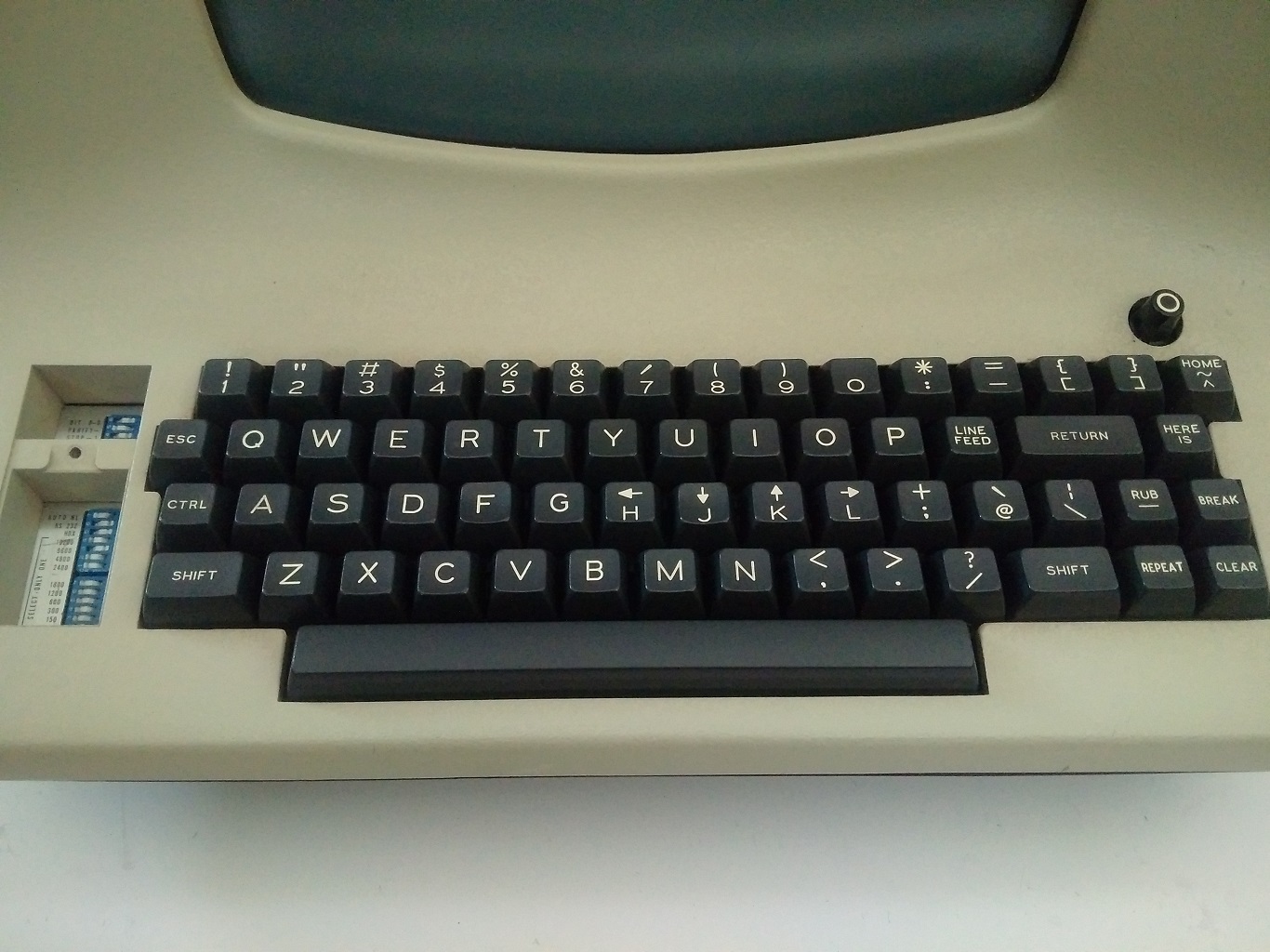

I would say the author clearly knows very little computer specs:
"The MacBook Pro had options with 2.4 gigahertz dual-core processors back in 2010. Anything new in 2016? Not really, well… nope."
Because a 2010 2.4ghz dual core is identical to a 2016 2.4 ghz dual core.... I thought we got over comparing processors purely by their clock speed a long time ago. (I will agree that theyve been going with lower and lower power to allow for better battery life, this is a terrible way to make the comparison. Id much rather see a processor comparison graph here).
Personally I think this is a terrible decision, but then again, I think using a laptop keyboard for programming is a terrible decision too. I need multiple monitors and an external keyboard to get anything done, so I typically use a desktop, and then use a lightweight laptop (basically a chromebook) to remote into the desktop if I absolutely need to be mobile.
Also, "What other people are saying" and then listing 4 anecdotal quotes seems pretty uncompelling.
I imagine this is not a great developer's laptop. But apple fanboys will keep buying it and either stop using vim just so they can keep using apple or buy an external keyboard. And Im really not sure what else you could really want out of a laptop then.